We all do the exact same thing when we want to buy something online. We open up Google, type in what we are looking for, and click the very first link that pops up at the top of the page.
For a long time, we were trained to believe that if Google put a website at the top of the search results, it meant the site was safe, legitimate, and trustworthy.
Unfortunately, that just isn’t true anymore.
Today, scammers can easily buy their way to the top of your Google search by purchasing sponsored ads. They create pixel-perfect clones of websites like Amazon, Best Buy, or your bank, and pay to have them show up as the very first result. You click the link thinking you are logging into a real store, but you are actually handing your credit card information directly to a fraud ring.
By the time you realize the website is fake, it is already too late. You shouldn’t have to click a link just to find out if it’s dangerous.
That is why the Nudge introduced its Chrome extension that completely changed the way I browse the web: Safe Search Trust Badges.
Stopping the Scam Before You Even Click
Most security extensions are reactive. They wait until you actually click a bad link, let the fake website start loading, and then they try to throw up a giant red warning screen to stop you.
The problem with this approach is that modern scammers are incredibly fast. The second you land on a malicious page, hidden scripts can run in the background. It is a terrifying game of digital Russian roulette.
When I installed Nudge, I noticed it does something brilliantly simple instead. It moves the security check to the search engine itself.
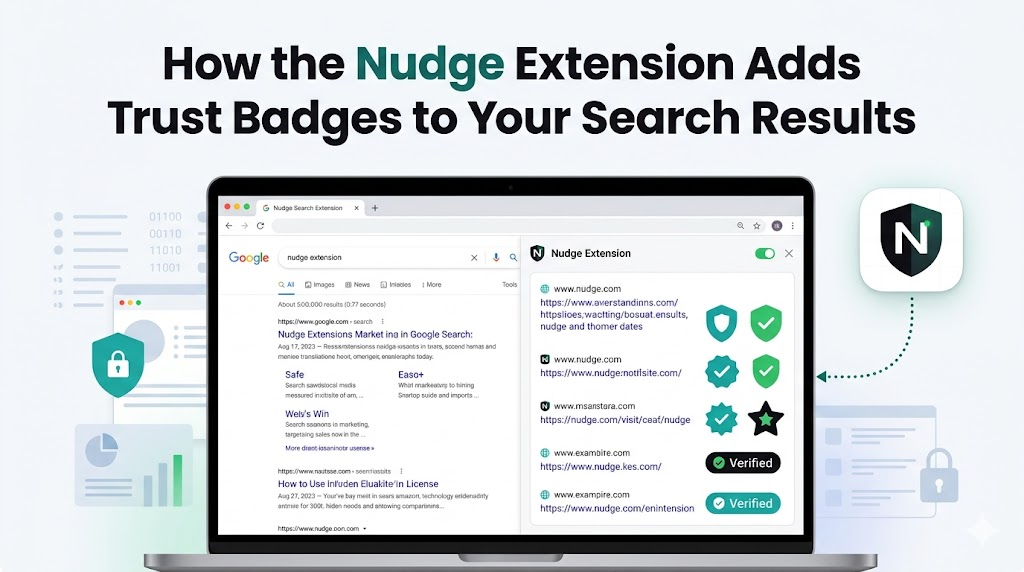
When you search for something on Google, Bing, or DuckDuckGo, Nudge silently scans the list of websites on your screen before you even move your mouse. It instantly checks the URLs against its massive database of verified businesses and known scams.
Then, right next to the links on the search results page, Nudge places a clear, visual safety badge.
The Simple Traffic Light System
You don’t need to be a tech expert or understand complex cybersecurity jargon to use Nudge. It uses a universal traffic light system that makes safe browsing completely foolproof:
- Green: The link is verified and safe. This is the real website for the brand you are searching for.
- Amber: Proceed with caution. This website is brand new or hasn’t built up enough trust yet.
- Red: Stop! Do not click. This is a known scam, a fake dropshipping store, or a phishing link.
Instead of guessing whether that “Sponsored Ad” at the top of Google is a real holiday sale or a sophisticated scam, you just look at the badge. If it is green, you are good to go. If it is red, you scroll right past it.
Fast, Private, and Invisible
The first question I had when I saw this feature was, “Isn’t scanning all my Google results going to slow down my search?”
Amazingly, no. Because Nudge uses a hyper-compressed local database right inside your Chrome browser, it doesn’t have to send your search queries back and forth to a giant cloud server. The safety badges appear instantly the second the Google page loads.
And because the database lives on your device, it means Nudge is completely privacy-first. They don’t track what you search for, they don’t read your emails, and they have zero interest in selling your data to advertisers.
Take the Guesswork Out of Google
The internet is tricky enough without having to play detective every time you search for a pair of shoes or try to log into your bank.
You deserve to know exactly what you are clicking before you click it.
If you are tired of wondering if the links on your screen are actually safe, add the free Nudge Chrome Extension to your browser right here. It takes two seconds to install, and it will instantly add those life-saving trust badges to all of your future web searches. Stop guessing, and start browsing with total confidence!
Leave a Reply